How to Apply Code
How to apply code
1
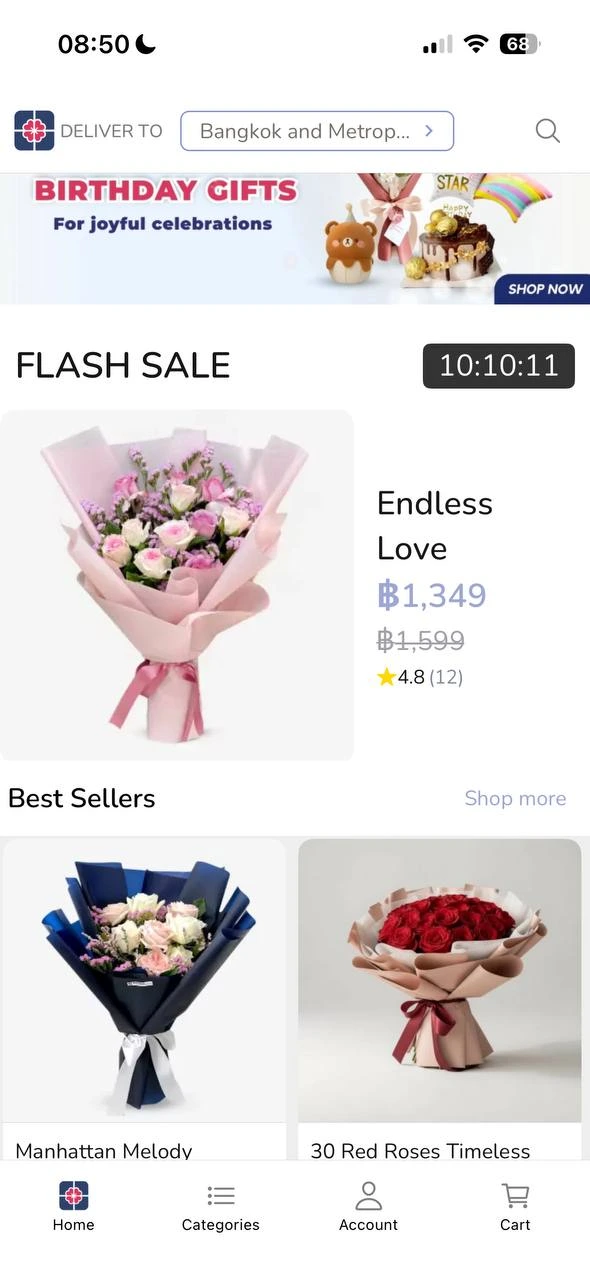
Select Products
Go to Potico.co.th or open the app. Browse and select your favourite products.
2
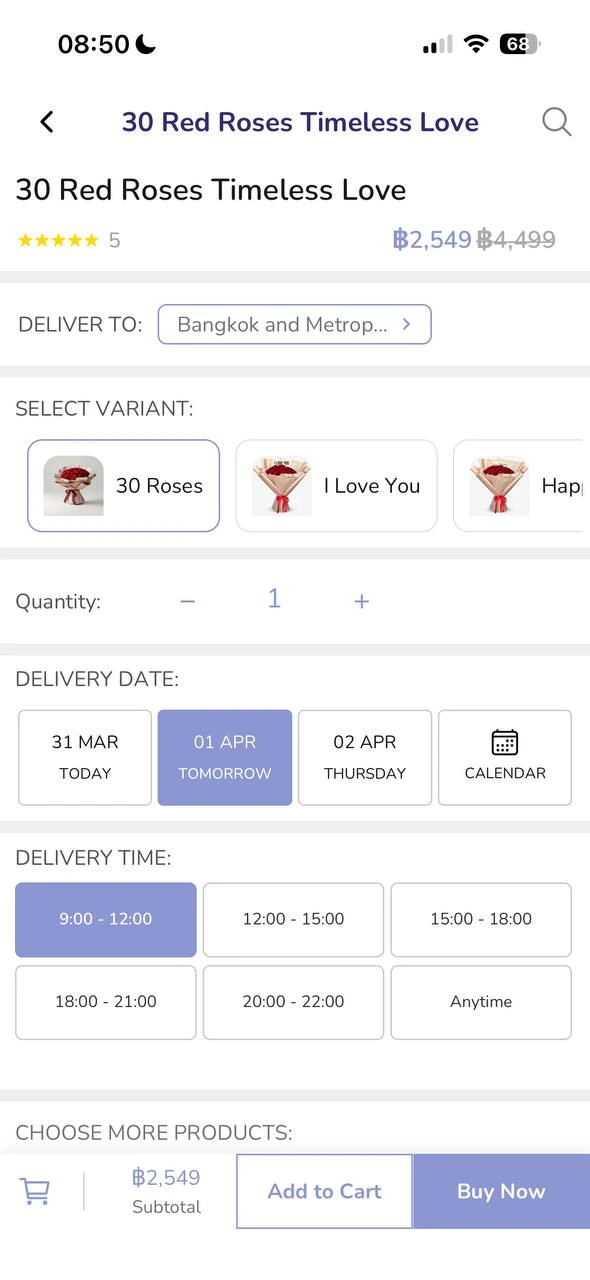
Details & Buy Now
Select your Shipping Location and Delivery Date.
Click "Buy Now"
3
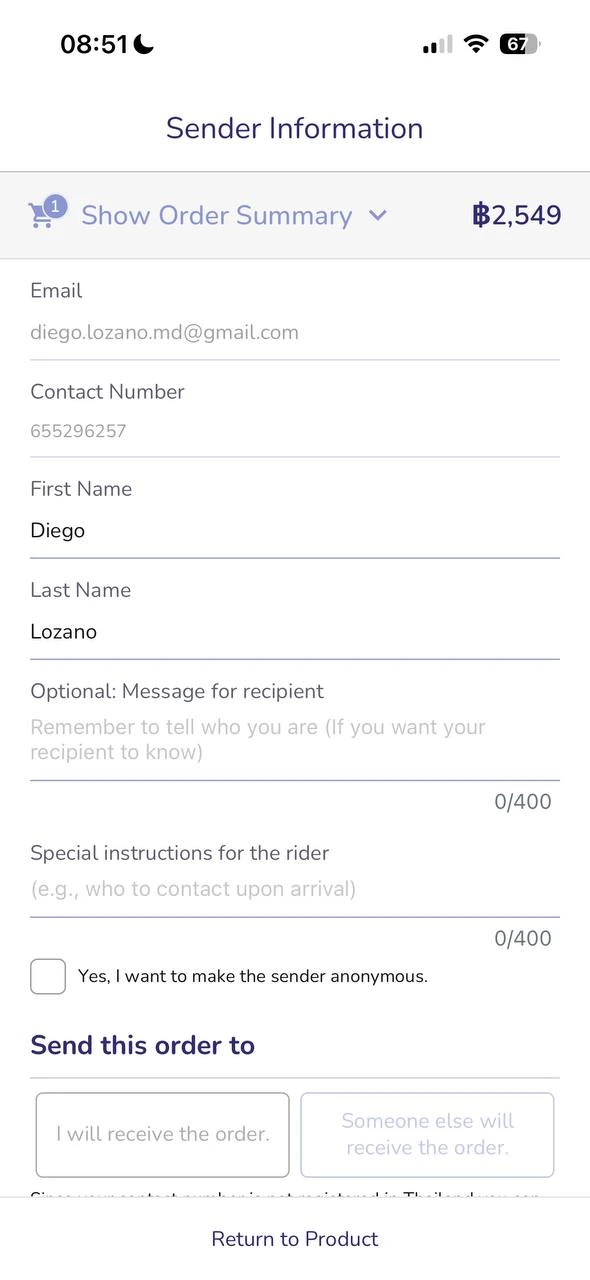
Fill Information
Fill up sender's and receiver's information. If you have special requests, write them here.
Click "Go to the payment"
4
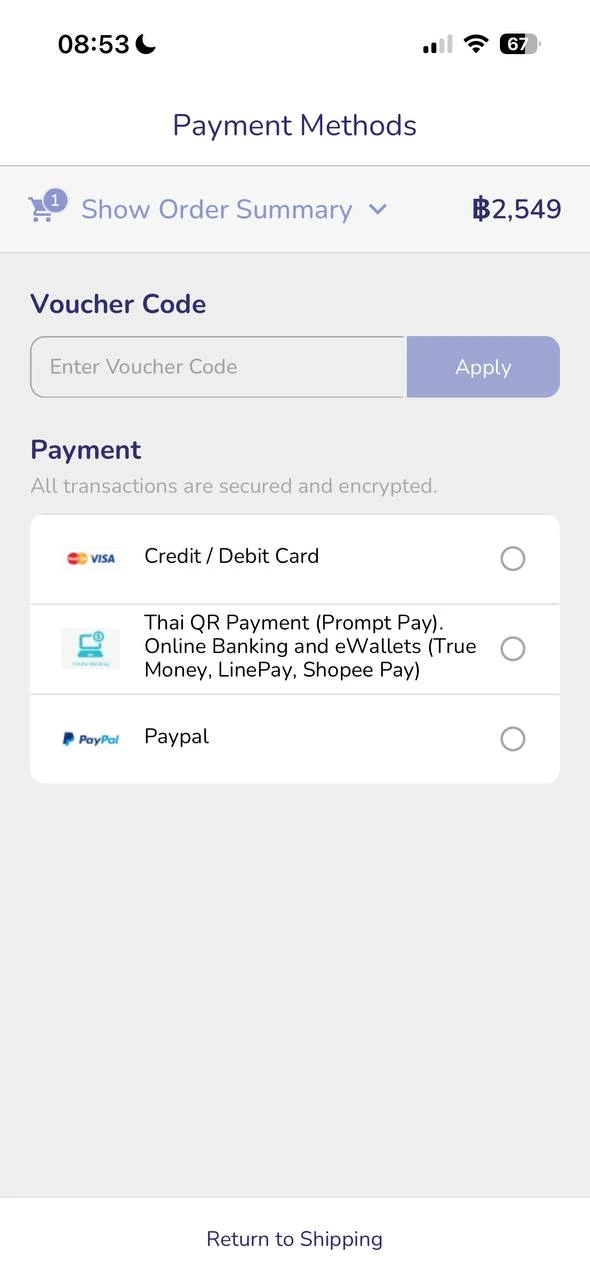
Apply Voucher Code
Put a discount code BEFORE clicking "Apply".
Note: The product price will change to the discounted price immediately.
▼
5
Complete Order
Once the price is updated, press "Complete Order" and you are done!